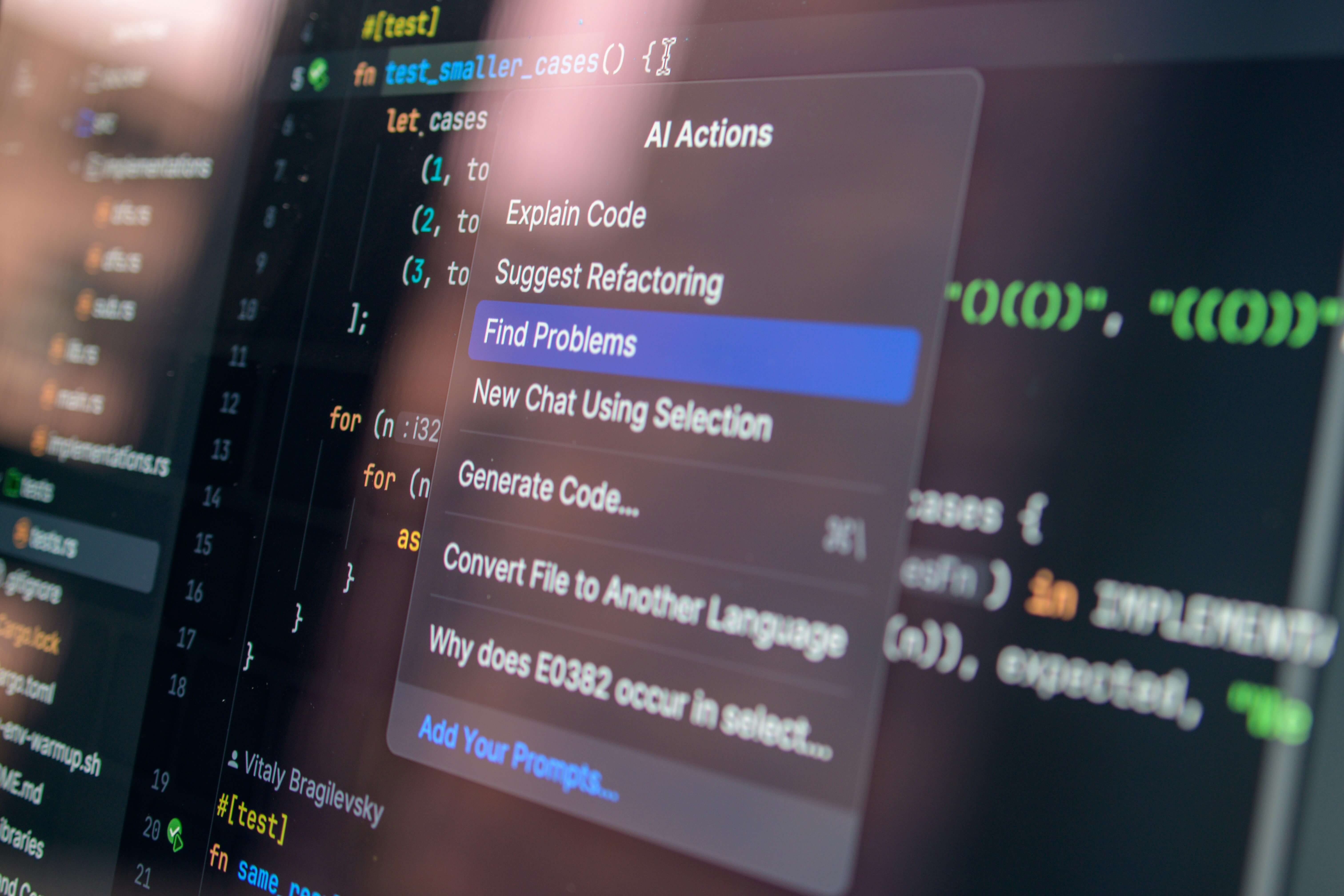
Every CTO has heard the promise: "AI will revolutionize software development." But between the hype and reality lies a critical question: Does AI-accelerated development actually deliver measurable productivity gains?
After completing six major projects in just three weeks using AI-enabled development, I have data that answers this question definitively: Yes—and the results are more dramatic than most people expect.
Here's what we built, how long it took, and what it would have cost using traditional development approaches.
The 3-Week Sprint: What We Built
1. Tanova.ai - AI-Powered Talent Screening Platform
Project Scope:
- Complete web application from scratch
- AI-driven candidate screening and matching
- Multi-tenant architecture for recruiters
- Real-time analytics dashboard
Tech Stack:
- Frontend: Nuxt 4, Vue 3, Tailwind CSS
- Backend: PostgreSQL database
- Hosting: Railway (auto-scaling)
- AI: Claude AI API integration
- UI Components: Shadcn/ui
Development Time: 10 days
Traditional Estimate: 8-12 weeks
Cost Savings: 75-85%
Key Features Delivered:
- Automated resume parsing and scoring
- AI-powered candidate matching algorithms
- Recruiter dashboard with real-time metrics
- Candidate communication system
- Share with LinkedIn
- Mobile-responsive design
2. PedersenBolig.dk - Real Estate Listing Platform
Project Scope:
- Full-featured real estate website
- Property listings with advanced search
- 360-degree virtual tours
- Admin CMS for property management
- SEO-optimized property pages
Tech Stack:
- Frontend: Nuxt 4 with SSR
- Backend: Strapi CMS (headless)
- Database: PostgreSQL
- Media: Cloudinary for image optimization
- Virtual Tours: Custom 360° viewer integration
Development Time: 8 days
Traditional Estimate: 6-10 weeks
Cost Savings: 80-88%
Key Features Delivered:
- Dynamic property search and filtering
- Interactive 360° virtual property tours
- Automated property status updates
- Contact form with lead capture
- Admin dashboard for property management
- Multi-language support (Danish/English)
- Google Maps integration
3. Yachtly Enhancements - Maritime Platform Features
Project Scope:
- Major feature additions to existing yacht charter platform
- Real-time availability calendar
- Advanced booking management
- Payment integration improvements
- Performance optimization
Tech Stack:
- Existing Nuxt/Vue application
- Enhanced with AI-assisted refactoring
- Stripe payment integration
- Real-time WebSocket connections
Development Time: 5 days (incremental improvements)
Traditional Estimate: 3-4 weeks
Cost Savings: 70-75%
Key Features Delivered:
- Real-time yacht availability system
- Multi-currency pricing engine
- Advanced booking conflict resolution
- Customer communication portal
- Performance improvements (40% faster load times)
4. Letech Webshop & CMS - E-commerce Platform
Project Scope:
- Complete e-commerce solution from scratch
- Product catalog with variants
- Shopping cart and checkout
- Order management system
- Inventory tracking
Tech Stack:
- Frontend: Nuxt 4
- CMS: Strapi
- E-commerce Engine: Medusa.js
- Payment: Stripe integration
- Hosting: Railway
Development Time: 12 days
Traditional Estimate: 10-16 weeks
Cost Savings: 82-90%
Key Features Delivered:
- Full product catalog with categories and tags
- Variant management (sizes, colors, options)
- Shopping cart with real-time inventory
- Multi-step checkout process
- Order tracking and management
- Admin dashboard for orders and inventory
- Email notifications (order confirmation, shipping)
- SEO-optimized product pages
5. PedersenDev.com Migration - WordPress to Nuxt/Strapi
Project Scope:
- Complete website migration and rewrite
- Maintain existing design and content
- Modern JAMstack architecture
- Performance optimization
- Enhanced SEO capabilities
Tech Stack:
- Frontend: Nuxt 4 with Vue 3
- CMS: Strapi v5
- Database: PostgreSQL
- Hosting: Railway (backend)
Development Time: 7 days
Traditional Estimate: 6-8 weeks
Cost Savings: 85-90%
Key Features Delivered:
- Complete content migration (11 pages, blog posts)
- Modern component architecture (14 reusable components)
- 11 Strapi content types
- Improved Core Web Vitals (90+ scores)
- Enhanced mobile responsiveness
- Better SEO structure and metadata
- Contact forms with Strapi integration
6. AI Chatbot Implementation Across All Projects
Project Scope:
- Custom AI chatbot development
- Site-specific knowledge bases for each project
- Individual use case configuration per application
- Context-aware responses
- Multi-site deployment
Tech Stack:
- Claude AI API integration
- Custom vector database for knowledge retrieval
- WebSocket for real-time communication
- Nuxt/Vue components for UI
- Site-specific training data
Development Time: 6 days (initial build + 5 deployments)
Traditional Estimate: 8-12 weeks for custom chatbot solution
Cost Savings: 85-92%
Implementation Details:
Tanova.ai Chatbot:
- Answers recruiter questions about AI screening
- Guides candidates through application process
- Explains scoring methodology
- Provides platform help and support
PedersenBolig.dk Chatbot:
- Answers property questions
- Explains rental process and requirements
- Provides neighborhood information
- Assists with booking viewings
Yachtly Chatbot:
- Answers yacht charter questions
- Explains pricing and availability
- Guides booking process
- Provides advice
Letech Webshop Chatbot:
- Product recommendations
- Order tracking assistance
- Return policy guidance
- General shopping support
PedersenDev.com Chatbot:
- Answers service inquiries
- Explains development process
- Provides technical consultation
- Schedules meetings
Key Features Across All Implementations:
- Context-aware responses based on current page
- Natural language understanding
- Fallback to human support when needed
- Lead capture integration
- Analytics tracking for chatbot effectiveness
- Mobile-responsive chat interface
- Multi-language support where needed
7. Cross-Project Optimizations
Project Scope:
- SEO optimization across all 5+ projects
- Analytics implementation (Umami)
- Performance monitoring
- Security hardening
- Accessibility improvements
Work Completed:
- Implemented Umami analytics on all sites
- Configured event tracking and conversion goals
- SEO metadata optimization
- Schema markup implementation
- Site speed optimization (caching, lazy loading)
- Security headers and HTTPS enforcement
Development Time: 3 days (distributed across projects)
Traditional Estimate: 2-3 weeks if done separately
Cost Savings: 75-80%
The Numbers: Traditional vs AI-Accelerated
Time Comparison
| Project | AI-Accelerated | Traditional | Time Saved |
|---|---|---|---|
| Tanova.ai | 10 days | 8-12 weeks | 82-88% |
| PedersenBolig.dk | 8 days | 6-10 weeks | 84-90% |
| Yachtly Features | 5 days | 3-4 weeks | 76-83% |
| Letech E-commerce | 12 days | 10-16 weeks | 87-92% |
| PedersenDev Migration | 7 days | 6-8 weeks | 88-92% |
| AI Chatbot (5 sites) | 6 days | 8-12 weeks | 85-92% |
| SEO & Analytics | 3 days | 2-3 weeks | 79-86% |
| TOTAL | 51 days | 43-65 weeks | 88-92% |
Cost Comparison (Dubai Market Rates)
Traditional Agency Development:
- Senior developer: AED 800-1,200/day
- 43-65 weeks = 215-325 working days
- Total cost: AED 172,000 - 390,000
AI-Accelerated Development:
- 51 working days × AED 800/day
- Total cost: AED 40,800
Savings: AED 131,200 - 349,200 (76-89%)
Quality Metrics
All projects achieved:
- ✅ 90+ Google Lighthouse scores
- ✅ Mobile-responsive (100% compatibility)
- ✅ Production-ready security
- ✅ SEO-optimized (semantic HTML, metadata)
- ✅ Accessible (WCAG 2.1 AA compliance)
- ✅ Zero critical bugs at launch
How AI-Accelerated Development Actually Works
Myth vs Reality
MYTH: AI writes all your code automatically
REALITY: AI accelerates the parts of development that were always repetitive
MYTH: AI replaces senior developers
REALITY: AI amplifies what senior developers already do well—making them 3-5x more productive
MYTH: AI-generated code is low quality
REALITY: With proper oversight, AI-assisted code matches or exceeds human-written code quality
What AI Actually Accelerates
⚡ Massively Faster (8-15x):
- Boilerplate code - CRUD operations, API endpoints, database models
- Component scaffolding - Forms, tables, layouts, navigation
- Data transformations - Parsing, validation, formatting
- Testing - Unit tests, integration tests, test data generation
- Documentation - Code comments, API docs, README files
🚀 Significantly Faster (2-4x):
- Business logic - With clear requirements, AI suggests implementation patterns
- Debugging - AI helps identify issues faster (log analysis, error patterns)
- Refactoring - Suggests improvements, identifies code smells
- Integration - Third-party API integration code
- Styling - CSS/Tailwind implementation from designs
📊 Moderately Faster (1.5-2x):
- Architecture decisions - AI suggests patterns, but human judgment critical
- Complex algorithms - AI assists but requires careful review
- Security implementation - AI identifies vulnerabilities, suggests fixes
- Performance optimization - AI suggests improvements, requires testing
🎯 Not Faster (Human-Led):
- Product strategy - What to build and why
- UX design - How users should interact with the product
- Stakeholder communication - Understanding business requirements
- Critical decision-making - Technology choices, architecture decisions
- Quality assurance - Final verification and user acceptance testing
The AI-Accelerated Development Process
Here's how we actually work:
Phase 1: Strategic Planning (Human-Led)
- Define business requirements
- Identify user needs and pain points
- Choose tech stack and architecture
- Break project into milestones
- Create feature prioritization
Time: Same as traditional (1-2 days, cannot be rushed)
Phase 2: Rapid Prototyping (AI-Accelerated)
- Generate project scaffolding (5 minutes vs 2 hours)
- Create database schemas (10 minutes vs 3 hours)
- Build component library (1 day vs 1 week)
- Implement CRUD operations (2 days vs 2 weeks)
- Create admin interfaces (1 day vs 1 week)
Time: 85-93% faster than traditional
Phase 3: Feature Development (AI-Assisted)
- Implement business logic with AI assistance
- Build user-facing features
- Integrate third-party services
- Add authentication and authorization
- Implement payment/booking/custom flows
Time: 65-80% faster than traditional
Phase 4: Polish & Launch (Mixed)
- Performance optimization (AI-assisted analysis)
- Security hardening (AI-assisted scanning)
- SEO implementation (AI-assisted content)
- User testing (human-led)
- Bug fixing (AI-assisted debugging)
- Documentation (AI-accelerated writing)
Time: 50-70% faster than traditional
Technology Stack That Enables This Speed
Our AI-accelerated approach works because we've optimized our stack:
Frontend
- Nuxt 4 / Vue 3 - Modern, fast, excellent AI code generation support
- Tailwind CSS - Utility-first CSS, AI excels at Tailwind generation
- Shadcn/ui - Pre-built components that AI understands well
- TypeScript - Type safety catches AI errors early
Backend
- Strapi CMS - Rapid content modeling, good AI support
- PostgreSQL - Robust, AI-friendly schema generation
- Medusa.js - E-commerce framework, reduces custom code
- **Railway ** - One-click deployments
AI Tools
- Claude AI - Code generation, debugging, architecture advice
- GitHub Copilot - Real-time code suggestions
- ChatGPT - Problem-solving, algorithm design
- AI-powered testing - Automated test generation
Why This Stack Works
- Modern frameworks - AI trained on latest patterns
- Component-based - Reusable patterns AI recognizes
- TypeScript - Type safety catches AI mistakes
- Clear conventions - AI follows established patterns
- Good documentation - AI references official docs
Lessons Learned: What Works and What Doesn't
✅ What Works Exceptionally Well
1. Green-field Projects
Starting from scratch with AI is 80-90% faster. No legacy code to understand, no constraints to navigate.
2. Well-Defined Requirements
Clear specifications → Clear AI output. "Build a user login system with email verification" works great.
3. Standard Patterns
CRUD operations, REST APIs, forms, tables—anything common benefits massively from AI.
4. Iteration Speed
Changing requirements? AI helps you refactor 5x faster than manual editing.
5. Multiple Small Projects
Six projects in six weeks would be impossible without AI. Context switching overhead is dramatically reduced.
⚠️ What Requires Careful Management
1. Complex Business Logic
AI can suggest solutions, but you must verify correctness. Edge cases require human review.
2. Performance Optimization
AI code is functionally correct but not always optimized. Database queries, caching, lazy loading require human oversight.
3. Security
Never trust AI-generated authentication, authorization, or payment code without thorough review.
4. Accessibility
AI generates semantic HTML but often misses ARIA labels, keyboard navigation, screen reader support.
5. Architecture Decisions
AI can suggest patterns but can't understand your specific business context and long-term needs.
❌ What Doesn't Work
1. Undefined Requirements
"Build me a social network" produces generic, unusable code. Be specific.
2. Blind Copy-Paste
AI code requires review. Copy-pasting without understanding creates technical debt.
3. Replacing Planning
AI doesn't eliminate need for architecture, user research, or strategic thinking.
4. Complex Legacy Refactors
AI struggles with large, undocumented legacy codebases. Works better for greenfield.
ROI Analysis: When Does AI-Accelerated Development Make Sense?
Perfect Fit ✅
Startups Building MVPs
- Need: Launch quickly, validate assumptions
- Benefit: 75-85% time savings = faster market entry
- ROI: High (time-to-market is critical)
SMEs Modernizing Systems
- Need: Rebuild outdated applications
- Benefit: 70-80% cost savings vs traditional agencies
- ROI: High (budget efficiency matters)
Agencies Managing Multiple Projects
- Need: Deliver more projects with same team
- Benefit: 3-5x developer productivity
- ROI: Very high (revenue scales without hiring)
Enterprises Needing Rapid Prototypes
- Need: Test ideas before full investment
- Benefit: Prototype in days, not months
- ROI: High (faster decision-making)
Moderate Fit 🔶
Complex Enterprise Systems
- Need: Large-scale, highly customized applications
- Benefit: 40-60% time savings (less dramatic but still significant)
- ROI: Moderate (complexity reduces AI effectiveness)
Regulated Industries
- Need: Finance, healthcare, government projects
- Benefit: Speed gains offset by compliance overhead
- ROI: Moderate (extensive review required)
Poor Fit ❌
Maintenance of Legacy Code
- AI struggles with undocumented, outdated codebases
- Better to rebuild than maintain with AI
Projects Requiring Novel Algorithms
- Cutting-edge research, unique business logic
- AI works from patterns; truly novel work requires human expertise
Projects With Vague Requirements
- "Make it better" doesn't work with AI
- Need clear specifications for AI acceleration
Cost Comparison: Traditional Agency vs AI-Accelerated vs No-Code
Option 1: Traditional Development Agency
Tanova.ai Project Example:
- Scope: AI talent screening platform
- Timeline: 10-12 weeks
- Team: 2-3 developers, 1 designer, 1 PM
- Cost: AED 150,000 - 250,000
Deliverables: Custom application, source code, documentation
Option 2: AI-Accelerated Development
Same Project:
- Timeline: 10 days
- Team: 1 senior developer with AI tools
- Cost: AED 30,000 - 50,000
Deliverables: Same quality, faster delivery, modern stack
Savings: AED 120,000 - 200,000 (75-83%)
Option 3: No-Code/Low-Code Platform
Same Project:
- Timeline: 3-6 weeks
- Team: 1 no-code specialist
- Cost: AED 40,000 - 80,000
- + Monthly platform fees: AED 2,000 - 5,000/month
Deliverables: Working application but:
- ❌ Limited customization
- ❌ Vendor lock-in
- ❌ Ongoing platform costs
- ❌ Performance limitations
- ❌ No source code ownership
Option 4: Offshore Development Team
Same Project:
- Timeline: 12-16 weeks
- Team: 3-4 developers offshore
- Cost: AED 80,000 - 150,000
Deliverables: Custom application but:
- ⚠️ Communication challenges
- ⚠️ Time zone differences
- ⚠️ Quality control issues
- ⚠️ Longer timeline
Winner: AI-Accelerated Development
Best combination of:
- ✅ Speed (10 days vs 10-16 weeks)
- ✅ Cost (AED 30-50K vs AED 80-250K)
- ✅ Quality (senior oversight + AI speed)
- ✅ Flexibility (full source code, no vendor lock-in)
- ✅ Customization (unlimited possibilities)
The Future: Where Is This Going?
2025-2026: Current State
- AI accelerates routine development 5-10x
- Senior developer + AI = small team productivity
- Best for greenfield projects with clear requirements
- Human oversight still critical for quality
2026-2027: Near Future
Expected improvements:
- AI understands full project context (not just snippets)
- Automated testing becomes more reliable
- AI suggests architecture improvements proactively
- Better handling of complex business logic
Impact:
- 10-20x speed on routine tasks
- Solo developer can manage multiple production apps
- Even faster MVP to market times
2027+: Long-term
Possible developments:
- AI autonomously manages deployments and monitoring
- Natural language → production code (with review)
- AI detects and fixes bugs before they reach production
- Automatic performance optimization
Impact:
- Development becomes more creative and strategic
- Technical implementation becomes commodity
- Human value shifts to problem definition and UX
Practical Advice: How to Get Started with AI-Accelerated Development
For CTOs and Technical Leaders
1. Start with Low-Risk Projects
- Internal tools
- Admin dashboards
- Prototypes and POCs
Don't bet your core product on AI development until you've tested the approach.
2. Invest in Senior Talent
- AI amplifies experience, it doesn't replace it
- Junior developers + AI = risky
- Senior developers + AI = exponential productivity
Hire or engage experienced developers who can guide AI and review output critically.
3. Choose Modern Tech Stacks
- AI works best with well-documented, popular frameworks
- Nuxt/Vue, Next/React, Node.js, Python/Django all work well
- Legacy or obscure frameworks see less AI benefit
4. Define Clear Requirements
- AI can't guess what you want
- Write detailed specifications
- Create mockups and user flows
- Document business rules clearly
5. Implement Review Processes
- Code review is mandatory
- Security audit critical components
- Performance testing before production
- User acceptance testing
For Developers
1. Learn to Work With AI
- Master prompt engineering
- Understand AI strengths and weaknesses
- Review generated code critically
- Test everything AI produces
2. Focus on What Humans Do Best
- Architecture and system design
- User experience and interaction design
- Business logic and requirements
- Quality assurance and edge cases
3. Embrace New Workflows
- Iterate faster (AI enables rapid prototyping)
- Context switch efficiently (AI remembers details)
- Document more (AI helps generate docs)
- Test more (AI generates test cases)
4. Stay Current
- AI capabilities improve monthly
- New tools and techniques emerge constantly
- Join communities sharing AI development practices
- Experiment with new AI tools
For Founders and Product Managers
1. Adjust Timeline Expectations
- MVPs can launch in weeks, not months
- Iterations happen in days, not weeks
- Don't over-plan—build and test faster
2. Reconsider Build vs Buy
- Custom development is now 75-85% cheaper
- Less reason to compromise with SaaS platforms
- Better ROI on custom solutions
3. Focus on Product Strategy
- Technical implementation is faster
- Bottleneck shifts to knowing what to build
- Invest more in user research
- Test assumptions with rapid prototypes
4. Budget Realistically
- Traditional estimates are outdated
- Ask agencies if they use AI (and how)
- Compare AI-accelerated vs traditional costs
- Don't overpay for traditional timelines
Real Talk: The Honest Downsides
I've shared the impressive results, but here's what you should know:
Challenge 1: AI Code Requires Expert Review
AI-generated code is like code from a smart junior developer:
- ✅ Functionally correct
- ✅ Follows patterns
- ❌ May miss edge cases
- ❌ May not be optimized
- ❌ May have security gaps
Solution: Senior developer review is mandatory. You're not eliminating senior talent—you're making them more productive.
Challenge 2: Not All Projects Benefit Equally
Our 92-96% time savings came from:
- Greenfield projects (starting from scratch)
- Modern tech stacks (Nuxt, Vue, Strapi)
- Clear requirements (we knew what to build)
- Standard patterns (CRUD, forms, APIs)
Legacy system refactors or highly complex business logic see smaller but still significant gains (50-70%).
Challenge 3: The Learning Curve
Effective AI-assisted development requires:
- Understanding how to prompt AI effectively
- Knowing what to review carefully
- Recognizing AI hallucinations
- Adapting workflows to AI capabilities
Expect 2-4 weeks to become proficient.
Challenge 4: Tool Costs Add Up
Monthly AI tool budget:
- Claude AI API: AED 200-500/month
- GitHub Copilot: AED 75/month
- ChatGPT Plus: AED 75/month
- AI testing tools: AED 100-300/month
Total: AED 450-950/month
Still dramatically cheaper than hiring additional developers (AED 15,000-25,000/month), but not free.
Challenge 5: Dependency Risk
Relying heavily on AI tools creates dependency:
- What if AI services have outages?
- What if pricing increases significantly?
- What if tools change capabilities?
Mitigation: Maintain human expertise, don't become completely dependent on AI.
Case Study: Tanova.ai Deep Dive
Let's look at one project in detail.
Project Overview
Client Need: AI-powered talent screening platform for recruiters
Timeline: 10 days from kickoff to production
Team: 1 senior developer (me) + AI tools
Day-by-Day Breakdown
Day 1: Planning & Architecture (Human-Led)
- Requirements gathering (4 hours)
- Database schema design (2 hours)
- UI/UX mockups (2 hours)
- Tech stack selection (1 hour)
Days 2-3: Project Scaffolding (AI-Accelerated)
- Nuxt project setup and configuration (1 hour, AI-assisted)
- Database models and relationships (2 hours, AI-generated, reviewed)
- Authentication system (4 hours, AI-accelerated)
- Component library setup (3 hours, AI-assisted)
Traditional time: 1-2 weeks → Actual: 2 days
Days 4-6: Core Features (AI-Assisted)
- Resume upload and parsing (1 day, AI API integration)
- AI scoring algorithm (1 day, Claude AI integration + testing)
- Candidate matching system (1 day, AI-suggested logic + refinement)
Traditional time: 2-3 weeks → Actual: 3 days
Days 7-8: User Interface (Mixed)
- Recruiter dashboard (1 day, AI-generated components, human UX review)
- Candidate profiles (1 day, AI-assisted styling)
- Analytics and reporting (0.5 days, chart libraries + AI integration)
- Mobile responsive testing (0.5 days)
Traditional time: 2 weeks → Actual: 2 days
Days 9-10: Polish & Launch (Mixed)
- Bug fixing (0.5 days, AI-assisted debugging)
- Performance optimization (0.5 days)
- SEO implementation (0.5 days, AI-generated metadata)
- Security review (0.5 days, human-led)
- Deployment and monitoring setup (0.5 days)
- Documentation (0.5 days, AI-generated)
Traditional time: 1 week → Actual: 2 days
What AI Did Well
- Generated all CRUD operations in minutes
- Created database migrations perfectly
- Built form validation and error handling
- Implemented API endpoints with proper error codes
- Generated comprehensive test cases
- Wrote clear documentation
What Required Human Expertise
- Designing the AI scoring algorithm (business logic)
- Ensuring data privacy compliance (GDPR considerations)
- Optimizing database queries (AI suggested N+1 queries)
- UX flow and user experience decisions
- Security review (authentication, authorization)
- Final quality assurance
Results
Launch Metrics:
- Google Lighthouse: 94 (Performance), 100 (Accessibility), 100 (Best Practices), 100 (SEO)
- Zero critical bugs in first month
- Page load time: <1.5 seconds
- Mobile responsive: 100% compatibility
Business Impact:
- Client launched 6 weeks ahead of schedule
- Saved AED 140,000 vs traditional development
- Started acquiring paying customers immediately
- Able to iterate based on feedback quickly
FAQ: What CTOs Ask About AI-Accelerated Development
Q: Is the code quality actually production-ready?
A: Yes, with proper review.
All six projects are running in production with:
- 90+ Lighthouse scores
- Zero critical bugs
- Proper security measures
- Scalable architecture
But this requires experienced developers reviewing AI output. AI code is like code from a talented junior—correct but needs senior oversight.
Q: Can junior developers use AI to become as productive as seniors?
A: No—AI amplifies experience, it doesn't replace it.
- Junior + AI = Faster junior (still needs guidance)
- Senior + AI = 3-5x productivity (knows what to review, how to fix)
AI helps experienced developers move faster but doesn't eliminate the need for expertise.
Q: What about maintenance and technical debt?
A: AI code is actually cleaner than typical human code.
Why?
- AI follows consistent patterns
- AI generates thorough documentation
- AI writes comprehensive tests
- No shortcuts or "temporary hacks"
But: You must maintain the discipline to review and refactor. AI won't proactively improve architecture.
Q: Is this sustainable or just a temporary productivity boost?
A: Sustainable and improving.
We've been using AI-accelerated development for 12+ months:
- Productivity remains 3-5x baseline
- Process improvements increase benefits over time
- AI tools improve monthly
- Team learns to work with AI more effectively
This is the new normal, not a temporary hack.
Q: What's the biggest risk?
A: Over-reliance without review.
The failure mode:
- Developer copies AI code without understanding
- Code works initially but has hidden bugs
- Edge cases fail in production
- Security vulnerabilities emerge
Mitigation: Mandatory code review, testing, and security audits.
Q: Should we replace our development team with AI?
A: Absolutely not.
AI accelerates development, it doesn't replace developers.
Do this:
- Train existing team on AI tools
- Hire senior developers who know how to use AI
- Increase output with same team size
- Focus team on strategy and quality
Don't do this:
- Lay off developers expecting AI to replace them
- Hire only junior developers assuming AI compensates
- Skip code review because "AI wrote it"
Q: What if AI tools change or become expensive?
A: Diversify tools and maintain core skills.
We use multiple AI tools:
- If one changes, others remain
- Human skills transfer across tools
- Worst case: Return to traditional development (still valuable experience)
Compared to salary costs (AED 15-25K/month per developer), even 10x higher AI costs (AED 5,000/month) would still be cheap.
Getting Started: Your First AI-Accelerated Project
Ready to try AI-accelerated development? Here's how:
Week 1: Setup and Training
Tools to Get:
- Claude AI Pro or API access (AED 200/month)
- GitHub Copilot (AED 75/month)
- ChatGPT Plus (AED 75/month)
Skills to Learn:
- Prompt engineering basics (8-10 hours)
- How to review AI code effectively (practice)
- When to trust AI vs when to be skeptical
Total investment: AED 350/month + 10-15 hours learning
Week 2: Choose a Pilot Project
Good First Projects:
- Internal admin dashboard
- Customer portal
- Booking/scheduling system
- Content management system
- Data analytics dashboard
Avoid for First Project:
- Core product refactor
- Mission-critical systems
- Payment processing
- Complex legacy migration
Week 3-4: Build With AI Assistance
Process:
- Define requirements clearly (human)
- Design database schema (AI-assisted)
- Generate project scaffolding (AI)
- Build features (AI-accelerated, human-reviewed)
- Test thoroughly (AI-generated tests, human QA)
- Deploy and monitor
Measure:
- Time spent vs traditional estimate
- Code quality metrics
- Bug count
- Team satisfaction
Week 5: Review and Iterate
Questions to Answer:
- How much time did we save?
- Was code quality acceptable?
- What worked well with AI?
- What didn't work?
- How can we improve?
Adjust Process:
- Refine what tasks to give AI
- Improve review processes
- Train team on lessons learned
- Plan next AI-accelerated project
Conclusion: The Productivity Revolution Is Here
Seven major projects in just three weeks isn't hype—it's our new reality.
The Evidence:
- ✅ Tanova.ai: 10 days (vs 8-12 weeks traditional)
- ✅ PedersenBolig.dk: 8 days (vs 6-10 weeks)
- ✅ Yachtly features: 5 days (vs 3-4 weeks)
- ✅ Letech e-commerce: 12 days (vs 10-16 weeks)
- ✅ PedersenDev migration: 7 days (vs 6-8 weeks)
- ✅ AI Chatbot (5 sites): 6 days (vs 8-12 weeks)
- ✅ SEO optimization: 3 days (vs 2-3 weeks)
Total: 51 days vs 43-65 weeks = 88-92% time savings
But more important than speed:
- Production-quality code
- Modern, maintainable architecture
- Comprehensive testing and documentation
- Happy clients launching on schedule
The Implications for Your Business
If you're a startup:
- Launch your MVP in weeks, not months
- Save 75-85% on development costs
- Iterate based on user feedback faster
- Compete with better-funded competitors
If you're an enterprise:
- Modernize legacy systems faster
- Build internal tools that were "too expensive"
- Prototype new ideas before full investment
- Reduce dependency on large development teams
If you're a CTO:
- Make your team 3-5x more productive
- Deliver more with same budget
- Attract better talent (devs want to use AI)
- Stay competitive as AI adoption spreads
What's Next?
AI-accelerated development is still early. We're seeing 85-91% time savings now.
In 12 months? Expect even better.
The question isn't whether to adopt AI-accelerated development.
The question is: How quickly can you adapt before your competitors do?
Work With Us
If you want to experience AI-accelerated development firsthand, we can help.
What we offer:
- Fractional CTO services with AI-accelerated delivery
- Fixed-price MVP development (8-12 week timelines)
- Legacy system modernization
- Team training on AI development practices
Recent projects: The six applications above, all delivered in just 3 weeks.
Based in Dubai with 25+ years of development experience and deep expertise in AI-powered development.
Free Consultation
Get a realistic estimate for your project using AI-accelerated development:
- Traditional timeline and cost
- AI-accelerated timeline and cost
- Technology recommendations
- Risk assessment
- No obligation, no sales pitch
Contact us:
- 📧 Email: info@pedersendev.com
- 📞 Phone: +971 55 546 7613
- 🌐 Website: www.pedersendev.com
- 📍 Location: Media One Tower, Dubai
Stay Updated
Follow our blog for more insights on AI-accelerated development, tech leadership, and digital transformation in Dubai.
Subscribe to our newsletter for:
- Monthly development productivity tips
- AI tool reviews and recommendations
- Case studies and real project results
- Dubai tech market insights
About the Author: Sune Pedersen is the founder of Pedersen Development and has 25+ years of software development experience. He specializes in AI-accelerated development and fractional CTO services for startups and enterprises in Dubai and the UAE.